Chart Editors
Here are the most important editors for creating custom charts and their unique features
日本語
リンクマップ
English
Link Maps
Here are the most important editors for creating custom charts and their unique features
A custom chart editor created by crash5band. Commonly referred to as the original MikuWa or original MMW.
An improved version of MikuMikuWorld by sevenc-nanashi. Abbreviated as MMW4CC. Currently, when people refer to "MikuWa," they usually mean this version. It's also sometimes called "modded MikuWa." If you don't have any particular preference, we recommend using this one.
Unique features of this editor
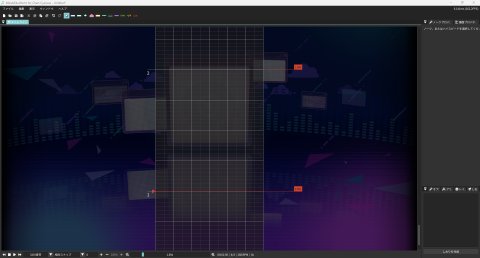
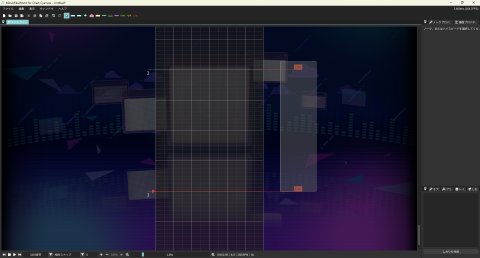
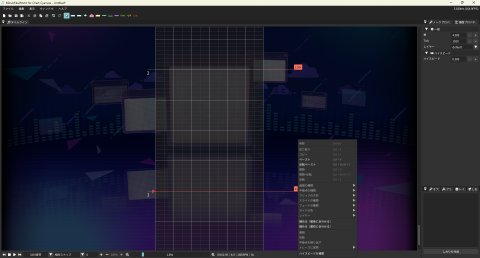
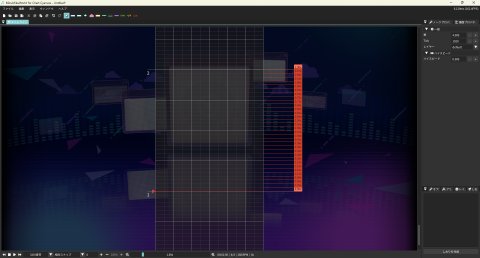
A function that fills the space between the beginning and end of a high-speed section with
evenly increasing/decreasing values at specified intervals.
(Example)
Select the
high-speed section, right-click, and click "Complement High-speed" at the bottom of the menu
to complete.
A function that keeps the relative positions of selected notes while making the intervals between them as small as possible.
Example: Shrinking notes to align with the "First" note
Select the notes, right-click, and
click "Shrink (Align to First)" slightly below the middle of the menu
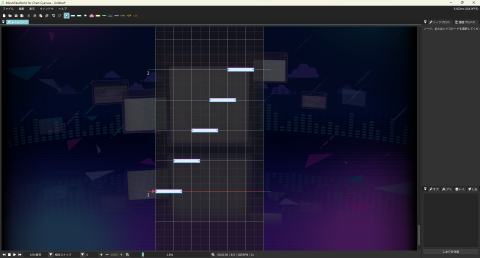
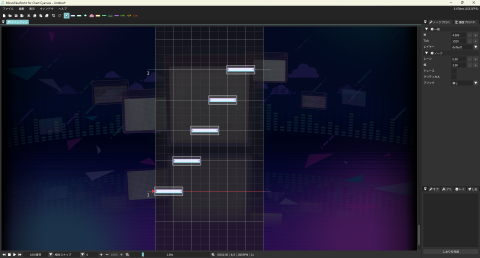
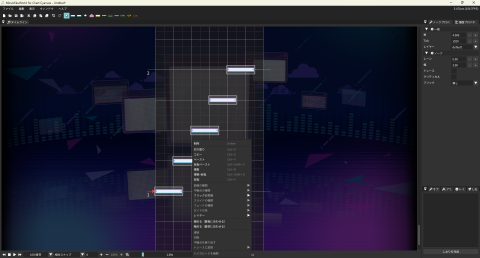

Example: Shrinking notes to align with the "First" note
Select the notes, right-click, and
click "Shrink (Align to First)" slightly below the middle of the menu

Besides notes, you can also "shrink" slides, guide start/end/relay points, and high-speed sections.
A function that allows you to save selected notes by clicking "Register to Preset" at the bottom right
A function that displays the sound waveform in the middle of the lane

When you click on the lane with the selection tool and click "Create Bookmark" in the bottom
right, it sets a waypoint at the red line that you can return to anytime. You can change the
name by clicking the white marker on the lane.
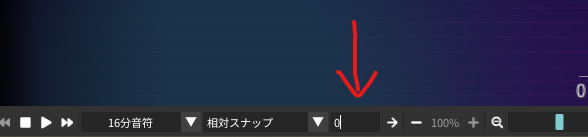
By entering a value in the box indicated
by the red arrow in the bottom left, for example, 10, you can move to measure 10
Functions that change how notes behave when held and moved.
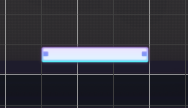
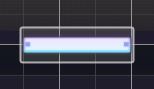
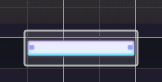
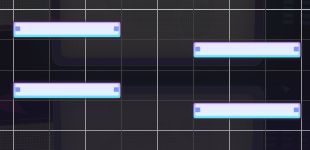
Allows changing the song playback speed to 25%, 50%, 75%, or 100%.


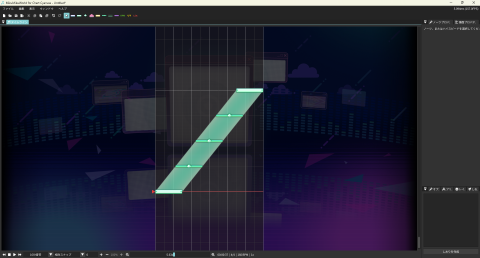
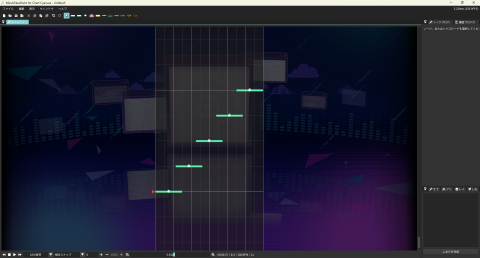
A function that places traces along slides/guides at specified intervals.
Example: Adding
or converting traces at 16th note intervals
For adding traces:
Select a slide or guide, right-click and click "Add Traces" at the
bottom of the menu to place traces that follow the slide or guide. The original slide or
guide remains.
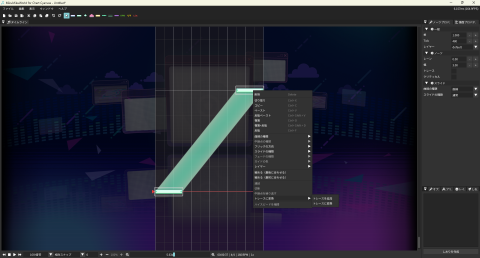
For converting to traces:
Select a slide or guide, right-click and click "Convert to
Traces" at the bottom of the menu to replace the slide or guide with traces that follow its
path. The start and end points of the slide or guide are also converted to traces, and the
original slide or guide disappears.
An improved version of MikuMikuWorld by Piman. Abbreviated as MMW4US.
Download here(Sorry, there's no link available yet!)
Unique features of this editor
Since this editor is a modified version of MMW4CC, as of April 2025, it has all the features
available in MMW4CC. For details, please check the unique features of MMW4CC.
Allows placing notes without judgment. In other editors, you would need to overlay damage
notes on notes you want to make into dummies, but in this editor, you can place them
directly without overlaying damage notes.
※Note that dummy notes are a feature exclusive
to Untitled Sekai.
A MikuWa created using the JavaScript programming language that is intended to run on the web.
Download here(Sorry, there's no link available yet!)
A custom chart editor for a certain slider headbanging rhythm game created by paralleltree. It's lightweight but has limited functionality, so we don't particularly recommend it. It's called the original Ched.
Unique features of this editor
Adding a downward Air to a trace creates a trace flick without an arrow.
A version of the original Ched with various functions added by Yukkuri Sky. Commonly referred to as modified Ched
Unique features of this editor
Adding a downward Air to a trace creates a trace flick without an arrow.
Allows separating the start, end, and relay points of slides and guides by channel. Channels are equivalent to layers in MMW.
Extensions exist as plugins. You can create and add plugins yourself if you have the skills. Most functions are basically the same as in MMW, but the names and categorizations are different, so I'll introduce them just in case
Calculates the total number of notes in the chart. Due to editor limitations, the actual combo count often differs, so you might not use this much. In MMW, this appears in the chart property statistics.
Moves BPM, time signatures, high-speed sections, and comments by a specified number of measures/beats. The behavior essentially inserts blank space of the specified length.
Places repeated relay points on slides/guides. Note that you need to position the playback bar at the starting point and include the entire slide in the selection range. Also, you can only repeat up to two relay points. This corresponds to "Repeat Relay Points" in MMW.
Converts between slides and guides. Converted guides are fixed to a gray color. You must include the entire slide/guide in the selection range.
Combines the endpoints and starting points of two or more slides/guides, replacing the junction with visible relay points. You need to position the playback bar at the starting point and include the entire slide in the selection range. This corresponds to "Join" in MMW.
Does the opposite of joining. Splits slides at relay points. This corresponds to "Cut" in MMW.
Flips slides/guides upside down. Uses the starting point position as the lower limit and the endpoint position as the upper limit for the flip.
A function that also exists in the original version. You'll understand if you use it, but honestly, you probably won't need to use it, so feel free to ignore it.
Highlights the edges of notes when they overlap. Normal taps are shown in red, critical taps in yellow, traces in mint, and damage notes in purple-blue. However, it only lights up when notes have the same width and their left edges overlap. It may not display correctly when something overlaps with a slide endpoint.
The "Widen/Narrow Lane Width" function does exactly as it says - it enlarges or reduces the displayed lane width. This feature exists in other editors and the original Ched, but the zoom ratio is larger here. The box with a number and slash next to the magnifying glass icon for zoom allows you to change the movement amount when you grab notes and move them to the top or bottom of the lane. Higher numbers result in smaller movements, while lower numbers result in larger movements.
Allows inserting comments. They can be inserted in the same way as high-speed sections or BPM changes. Comments can only be viewed within the modified Ched editor and are not written into USC or SUS files.
Allows changing settings when exporting USC files. Mainly determines behavior when
slides/guides overlap.
Accurate overlap detection increases precision when notes overlap.
Currently, it's not perfect, so don't rely on it too much.
The box labeled simply "AIR" allows you to add Air directly to notes with gestures.
Adding AIR-ACTION to the endpoint of a guide generates a 0-width guide for the duration of the AIR-ACTION. It might not seem immediately useful, but combined with fade-in/out, it can be used to adjust transparency.
The box next to the "n division" box displays a history of note widths you've placed. Also, in Ched, the width of the next note you place becomes either the width of the last note you placed or the width of a note you clicked on. This is convenient when you want to return to integer widths after working with decimal widths.
In Ched, holding CTRL+ALT while holding the edge of a note allows you to change the width in increments ranging from 2 to 0.01. This value is also used when moving notes horizontally. You can change this value in the box next to "Lane Display."
Holding CTRL+SHIFT while grabbing a note disables width changes. This is helpful when working with notes less than 1 width wide, as the detection tends to prioritize width changes over movement. Adding ALT allows for horizontal movement in decimal units.
A website where you can create charts in your browser.
Introducing potentially useful tools for creating custom charts